
In today’s article, we will share our opinion and review of the IPTV Smarters Player Expert app. It is one of the most feature-rich IPTV players available for iPhone and iPad, and in this full test we cover everything from first setup to advanced features, troubleshooting, and how it compares to IPTV Smarters Pro. Stay with us to discover how effective the app really is and what it offers.
Naviguez facilement
What is IPTV Smarters Player Expert?
IPTV Smarters Expert is a powerful IPTV player that delivers a smooth and professional viewing experience. It supports M3U and M3U8 playlists, Xtream Codes, and Stalker Portal, with smart content organisation. The app also includes EPG, Chromecast support, offline viewing, a replay feature, subtitles, and a modern, user-friendly interface.
Key Features of IPTV Smarters Player Expert
IPTV Smarters Player Expert is packed with features that set it apart from basic IPTV apps. Here is what you get out of the box:
Multiple Playlist Formats: The app supports M3U, M3U8, Xtream Codes API, and Stalker Portal — covering virtually every format that UK IPTV providers use. You can add and manage multiple playlists side by side without losing your settings.
Built-in EPG (Electronic Programme Guide): IPTV Smarters Expert displays a full programme schedule in XMLTV format, so you always know what is on now and what is coming up next. The guide refreshes automatically and can be configured to pull from your provider’s EPG URL.
Chromecast Support: You can cast any stream directly to your TV with a single tap — no need for a separate app or device setup.
Catch-Up and Replay: If your IPTV subscription includes a replay feature, IPTV Smarters Expert lets you access previously aired content without leaving the app.
Subtitles and Multi-Audio: The player handles subtitle tracks and multiple audio languages, which makes it particularly useful for international content.
Favourites and Content Organisation: You can star your favourite channels, create custom categories, and quickly jump back to the content you watch most often.
iOS and iPadOS Optimised: The interface scales properly on both iPhone and iPad, with a clean layout that makes navigation straightforward even on smaller screens.
My experience :
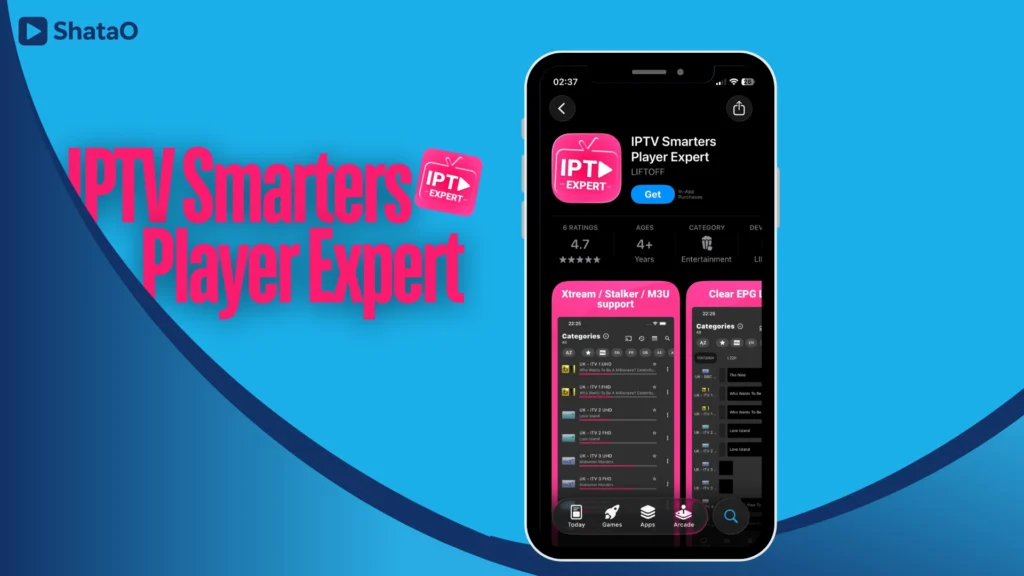
Let’s start our experience with the IPTV Expert app. First, we will download the application from the Apple App Store.
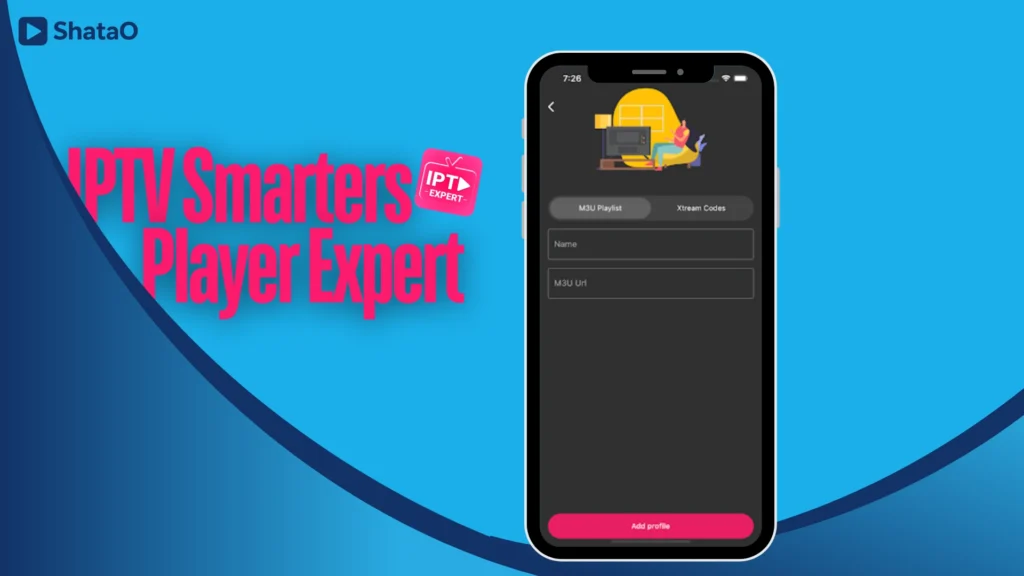
After downloading the app, we will open it, and right away the main interface will show us the available options to add a playlist. We will choose the M3U format, give our playlist a name, then paste the link provided by the distributor into the designated field and add the playlist.
You may also like : How to get IPTV on iPad
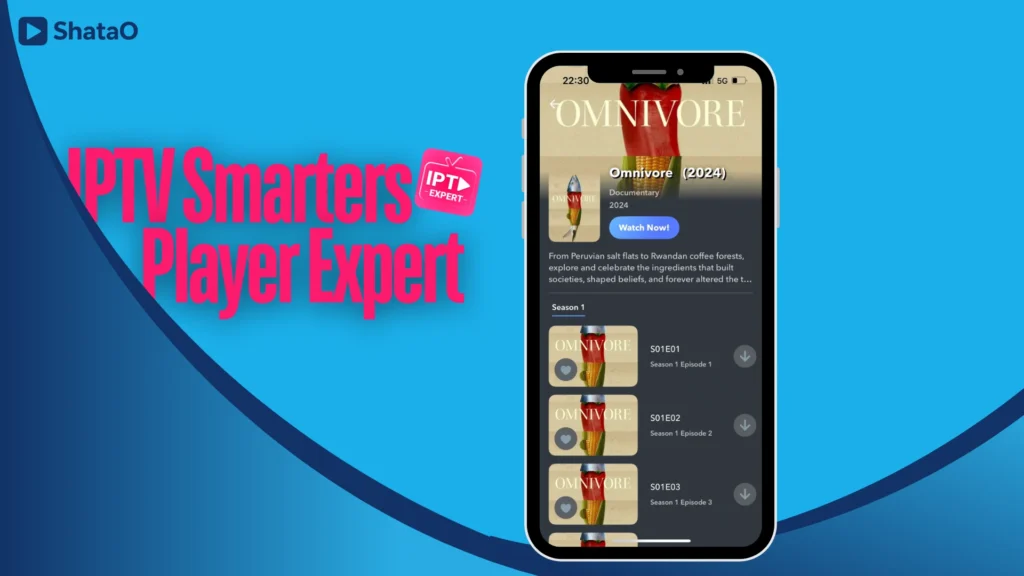
After adding the playlist, we will wait a few minutes for the content to load. Once the process is complete, you will find your favorite series, movies, and programs ready to watch in high quality and excellent resolution.
Full Setup Guide for IPTV Smarters Player Expert
Whether you are setting up the app for the first time on iPhone or looking to add a second playlist, here is a complete walkthrough covering all three connection methods.
Step 1: Download the App
IPTV Smarters Player Expert is available as a free download from the Apple App Store for iPhone and iPad. Search for “IPTV Smarters Player Expert” or follow the direct link from the App Store. The IPTV Smarters Player Expert download is free, with optional in-app features available. Android users looking for a similar experience should check IPTV Smarters Pro, which is available on Google Play as an APK download.
Step 2: Choose Your Connection Method
Once the app opens, tap Add Playlist. You will see three options:
M3U URL — The most common method. Paste the M3U link your IPTV provider gave you, assign a name to the playlist, and tap Save. The app will import all channels automatically.
Xtream Codes API — If your provider gave you a server URL, username, and password instead of an M3U link, select this option. Enter the three fields exactly as provided and tap Load. Xtream Codes connections tend to be faster and more stable for large channel lists.
Stalker Portal — Used by some European and UK providers. Enter the portal URL and your MAC address as supplied by your provider.
Step 3: Load and Browse Your Channels
After saving your playlist, the app begins importing channels. Depending on playlist size, this typically takes 30–90 seconds. Once loaded, channels are organised by category — Live TV, Movies, and Series appear in separate tabs for easy navigation.
Step 4: Configure the EPG
For a programme guide, go to Settings → EPG Settings and paste your XMLTV EPG URL (your provider should supply this alongside the M3U link). Tap Refresh EPG and within a minute the schedule will populate next to each channel. You can set the EPG to refresh automatically every 12 or 24 hours.
Step 5: Optimise Playback
If you experience any buffering, go to Settings → Player Settings and try adjusting the buffer size upward. For streams that stutter, switching from the native player to an alternative decoder often resolves the issue. Make sure your internet connection is providing at least 25 Mbps for HD streams and 50 Mbps for 4K content.
IPTV Smarters Expert vs IPTV Smarters Pro
Two of the most searched IPTV apps share a similar name — so which one should you use? Here is how IPTV Smarters Player Expert and IPTV Smarters Pro compare side by side:
| Feature | IPTV Smarters Expert | IPTV Smarters Pro |
|---|---|---|
| Platform | iOS (iPhone / iPad) | Android, Firestick, Android TV |
| M3U Support | ✅ Yes | ✅ Yes |
| Xtream Codes | ✅ Yes | ✅ Yes |
| Stalker Portal | ✅ Yes | ✅ Yes |
| Built-in EPG | ✅ Yes | ✅ Yes |
| Chromecast | ✅ Yes | ✅ Yes |
| Catch-Up TV | ✅ Yes | ✅ Yes |
| External Player Support | ❌ No | ✅ Yes (VLC, MX Player) |
| Android APK Download | ❌ No | ✅ Yes |
| Firestick Compatible | ❌ No | ✅ Yes |
| Samsung TV Support | ❌ No | ❌ No (use Smart IPTV) |
| Free Version | ✅ Yes | ✅ Yes |
In short: if you are on an iPhone or iPad, IPTV Smarters Player Expert is the right choice. If you are on Android, a Firestick, or an Android TV box, IPTV Smarters Pro is the better fit. Neither app has an official Windows PC or Mac version — for those platforms, the IPTV Smarters web player or a desktop alternative like Kodi is the recommended route.
Troubleshooting Common Issues
Even well-configured IPTV apps run into occasional problems. Here are the most common issues users report with IPTV Smarters Player Expert, and how to fix them.
IPTV Smarters Player Failed to Authorise
This error appears when the app cannot validate your subscription credentials. The most common causes are: an incorrect Xtream Codes username or password, a subscription that has expired, or a provider server that is temporarily down. Double-check your credentials exactly as provided — including the port number in the server URL (e.g. http://yourserver.com:8080). If credentials are correct and the error persists, contact your IPTV provider as the issue is likely on their end.
Buffering or Freezing Streams
Buffering is usually caused by one of three things: a slow internet connection (test for at least 25 Mbps on the device), a peak-time overload on your provider’s server, or incorrect buffer settings in the app. Try going to Settings → Player Settings and increasing the buffer size. If the problem only affects certain channels, the issue is with those specific streams rather than your setup.
Playlist Not Loading
If your M3U URL fails to import, check that the link has not expired — some providers rotate their M3U URLs weekly for security. Copy the fresh URL from your provider’s panel, delete the old playlist in the app, and re-add it. Also ensure you are not adding extra spaces before or after the URL when pasting.
EPG Not Showing
If the programme guide is blank, go to Settings → EPG Settings, confirm your XMLTV URL is correct, and tap Refresh EPG manually. Some providers update their EPG every 24 hours, so a fresh refresh usually resolves missing schedule data.
Alternative apps
IPTV Smarters Pro :
IPTV Smarters Pro is a professional IPTV player designed for smooth and effortless streaming. It supports M3U and M3U8 playlists, Xtream Codes integration, and advanced content organisation. The app offers fast search, high-quality adaptive playback, full-screen mode, favourites management, and an elegant, modern interface for an immersive and user-friendly viewing experience.
Zen IPTV Player :
Zen Player is an IPTV player designed for peak performance, delivering seamless streaming and an unmatched viewing experience. It supports live TV, replay, movies, and series with 4K, HDR, and Dolby Vision, and works smoothly across Apple TV, iPhone, and iPad. The app includes EPG, Picture-in-Picture, subtitles, multi-profiles, favourites, and advanced organisation, with support for the Xtream Codes API.
IBO pro player :
ibo Pro Player offers a smooth live streaming experience thanks to its simple interface and advanced controls. It provides an easy way to play M3U links or playlists and supports all screen resolutions on iPhone and iPad. In addition, it supports the VLC player, fast streaming, and allows users to select languages for movies and series.
Worth checking out :
Frequently Asked Questions
Is IPTV Smarters Player Expert free?
Yes, IPTV Smarters Player Expert is a free download from the Apple App Store. The core features — including M3U, Xtream Codes, and EPG support — are available without payment. Some advanced features may require an optional in-app purchase.
Is IPTV Smarters Player Expert available on Firestick?
No. IPTV Smarters Player Expert is designed exclusively for iOS devices (iPhone and iPad). For Firestick, the recommended alternative is IPTV Smarters Pro, which can be sideloaded as an APK or installed via the Downloader app on Amazon Fire devices.
Can I use IPTV Smarters on a Samsung TV?
Neither IPTV Smarters Expert nor IPTV Smarters Pro has a native Samsung TV (Tizen OS) app. For Samsung Smart TVs, the best alternatives are Smart IPTV or TiviMate via a connected Android TV stick. Alternatively, you can use Chromecast to cast from your iPhone directly to any TV using IPTV Smarters Expert.
Is there an IPTV Smarters Player for PC or Windows?
There is no official IPTV Smarters Player for Windows or Mac desktop. The closest option is the IPTV Smarters web player, which can be accessed through a browser, though it has limited features compared to the iOS app. For a full desktop experience, Kodi with an IPTV add-on is the most widely used alternative.
Does IPTV Smarters Player Expert work on Android?
IPTV Smarters Player Expert is an iOS-only app and is not available on Android. Android users should download IPTV Smarters Pro instead, which is available as an APK download and supports all the same playlist formats — M3U, Xtream Codes, and Stalker Portal.
Do I need a subscription to use the app?
Yes. IPTV Smarters Player Expert is a player only — it does not include any channels or content of its own. You need a separate IPTV subscription from a provider, who will give you an M3U URL or Xtream Codes login to enter into the app. See our guide to the best IPTV services in the UK for tested and ranked providers.
Conclusion :
In our article, we shared our full review of the IPTV Smarters Player Expert app — covering its features, setup process, how it compares to IPTV Smarters Pro, troubleshooting tips, and alternative options. Whether you are setting it up for the first time or trying to fix a specific issue, the app remains one of the strongest IPTV players available for iPhone and iPad users in the UK. With support for M3U, Xtream Codes, EPG, Chromecast, and catch-up TV, it covers everything most users need.
Once you have IPTV Smarters Expert set up, you’ll need a reliable provider — browse our tested list of the best IPTV subscriptions in the UK to find the right plan for you.
