

If you are looking for the best IPTV player apps for Windows 8, 10, 11, and more, then this article is for you. We will show you the best IPTV player options to help you enhance your streaming experience.
By selecting the right iptv player, you can enjoy smoother viewing on your pc with the perfect app for your needs.
The list:
What is iptv player for windows?
An iptv player for Windows is a software tool that allows users on Windows 11 to access an iptv service and watch live TV, VOD, and other online content from their subscription. A player like this usually includes an electronic program guide, various features for iptv, smooth navigation, and support for high-quality streaming. It often works with a remote control and can play both live channels and VOD libraries efficiently.
Best iptv player apps for Windows
1. IPTV Smarters Pro
This software is an ideal choice for Windows users seeking a stable, easy-to-use IPTV experience. It provides access to live and on-demand channels, organises content by country, manages favourites, and offers multi-screen support. With a username, password, and URL, the user can enjoy a complete, flexible player.

2. IPTV Stream Player
Providing a complete solution for streaming high-quality online television with no complications, IPTV Stream Player allows access to live or on-demand channels via an IPTV account or M3U links. The application stands out for its incredible speed, optional EPG support, favourites management, language and subtitle selection, and PIN protection for effective parental control.

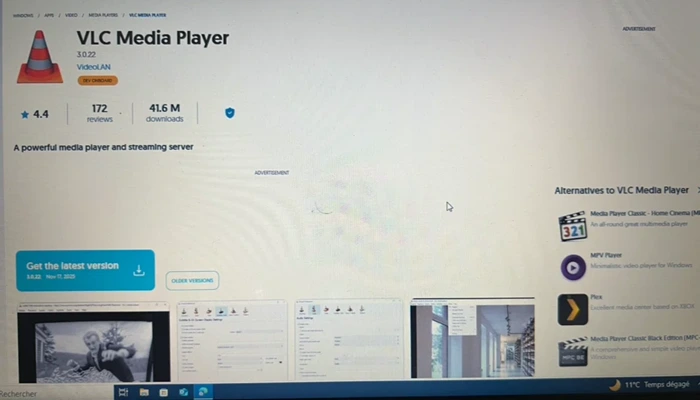
3. VLC Media Player :
This program was designed to provide Windows users with a smooth and convenient way to manage their IPTV playlists. It stands out for its exceptional compatibility with nearly all audio and video formats, without requiring additional codecs. With its clean interface, fast performance, and support for even corrupted files, it offers a versatile and comprehensive solution for enjoying a wide range of multimedia content.
4. IPTV Stream Player Official

Standing out with a modern and straightforward interface that makes browsing channels easier than ever, this program includes a powerful video player compatible with major formats, including 4K content, subtitles, and multiple audio tracks. With global search, favourites, recent playlists, parental controls, and privacy options, it offers a complete and customizable experience. The user simply needs to add their own content to enjoy it fully.
5. IPTV Smarters Expert
By allowing users to access their favourite content quickly with advanced organisation tools, this program offers a smooth, fully featured IPTV experience. It makes it easy to import M3U/M3U8 playlists, provides intelligent sorting for channels, movies, and series, supports Chromecast, EPG, subtitles, offline downloads, PiP mode, and multiple profiles, all while offering a modern, user-friendly interface.

Now let’s move on to some premium apps that offer the same service but with more advanced features, providing a richer, smoother, and more customizable IPTV experience.
6. IBO Player
Combining strong performance with continuous support, this application delivers a smooth and stable viewing experience on Windows devices. It supports M3U and M3U8 playlists, allowing seamless access to your favourite channels without interruptions. With its intuitive interface, you can organise favourites, customise display settings, and manage content with parental controls. Thanks to broad compatibility and an ergonomic design, it meets all the needs of a modern IPTV player.

7. IPTV Player+
This application is distinguished by a variety of features that let you enjoy your favourite programs with ease. It enables you to watch IPTV from your Internet service provider or access free live TV channels from other sources with a modern, user-friendly player. You can play any M3U or M3U8 file, whether stored locally or accessed through a remote URL.
8. IPTV Smarters Expert :
This application aims to enhance the Windows viewing experience with fast performance and high responsiveness. It offers seamless streaming by supporting all IPTV providers and enabling effortless import of M3U/M3U8 playlists via URL, the Xtream Codes API, or the Stalker Portal. With innovative playlist organisation, Chromecast support, detailed EPG, offline viewing, subtitles, multi-profile management, favourites, PiP mode, and an elegant dark interface, it delivers a complete, highly flexible IPTV experience.
9. IPTV Smart for Windows
The application allows channels to load and play quickly, making it ideal for uninterrupted daily use. It offers a next-generation IPTV experience with smooth 4K streaming, support for M3U playlists and Xtream API, and fast access to live TV, movies, and series. Users can record broadcasts, download content for offline viewing, customise categories, use multi-screen mode, enable parental control, enjoy advanced subtitle options, view EPG guides, and benefit from VLC support for stable playback even on slower connections.
10. Warm IPTV Pro :
This program is a practical choice for anyone looking to run IPTV playlists on their computer with great ease. It allows users to watch live broadcasts, movies, and TV shows effortlessly, with fast playback via a clean, modern interface. With support for EPG, M3U playlists, and URL-based streams, it provides a reliable and straightforward way to access and enjoy IPTV content on Windows devices.
Conclusion
Choosing the best IPTV player for Windows depends on your preferences, budget, and how you plan to use it. With easy-to-use apps that offer smooth playback, organised channels, and extra features like those found in Plex, you can enjoy a great viewing experience on your PC. Just make sure you have a stable internet connection to keep everything running reliably on your desktop.
