
In today’s article, we will share our GSE Smart IPTV review for iOS, along with our honest opinion after testing the app. Stay with us to discover how to use this app, check its ratings and reviews and explore its version history.
Easy navigation
What is GSE Smart IPTV?
GSE Smart IPTV is an advanced and free media player that allows you to watch live TV, EPG, video-on-demand, series, movies, and catch-up TV. It also offers many features, such as support for Xtream and M3U API playlists, a powerful built-in 4K player, and network streaming support including Smooth Streaming, MMS, and HLS. It comes with a simple, fast, powerful, and user-friendly design.
My experience :
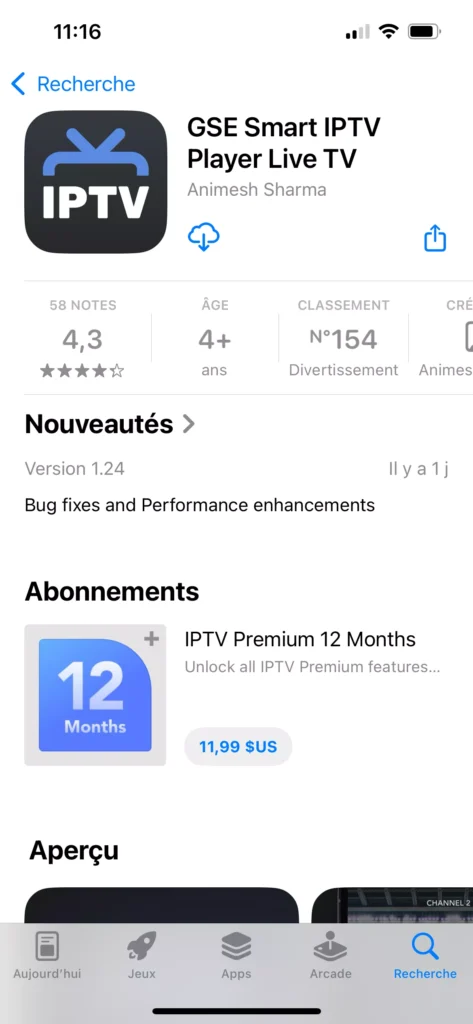
To explore the user experience of the GSE Smart IPTV app, we will first download the application from the the app Store.
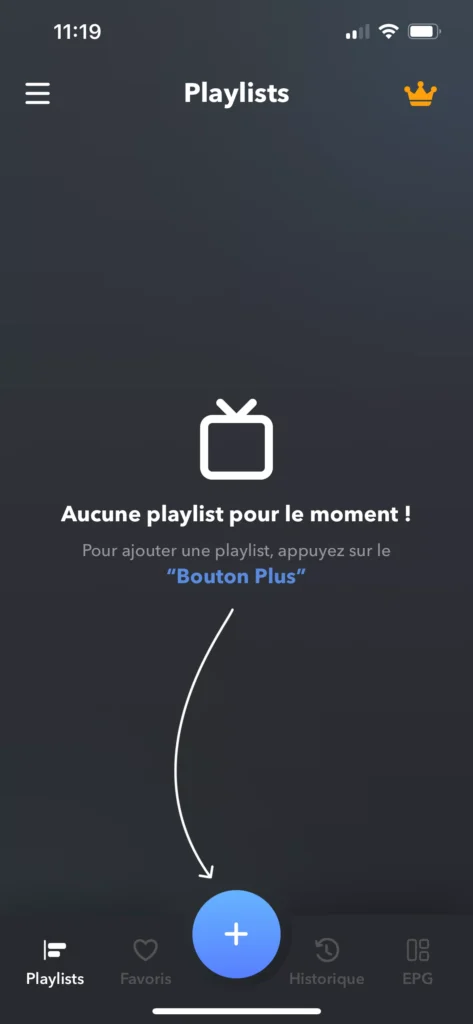
We will open the app after downloading it and accept its policies and app privacy. After that, this interface will appear, where we will add the playlist.
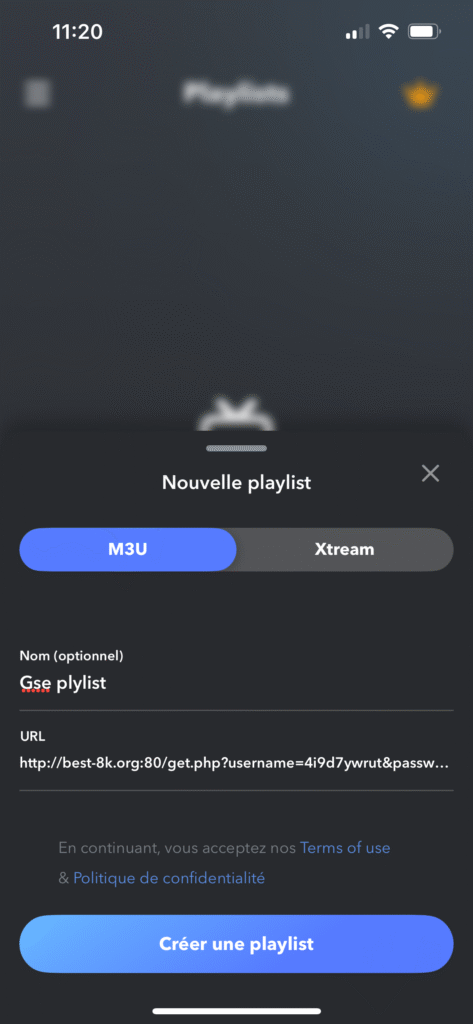
After that, the app gives us two options to add the playlist: through M3U or through Xtream Code. We will choose the m3u playlist link, copy it, and enter a name for the playlist.
Also recommended : best IPTV players for iPhone.
After adding the playlist, it will appear on the app’s main interface, and you can open it to access your content.
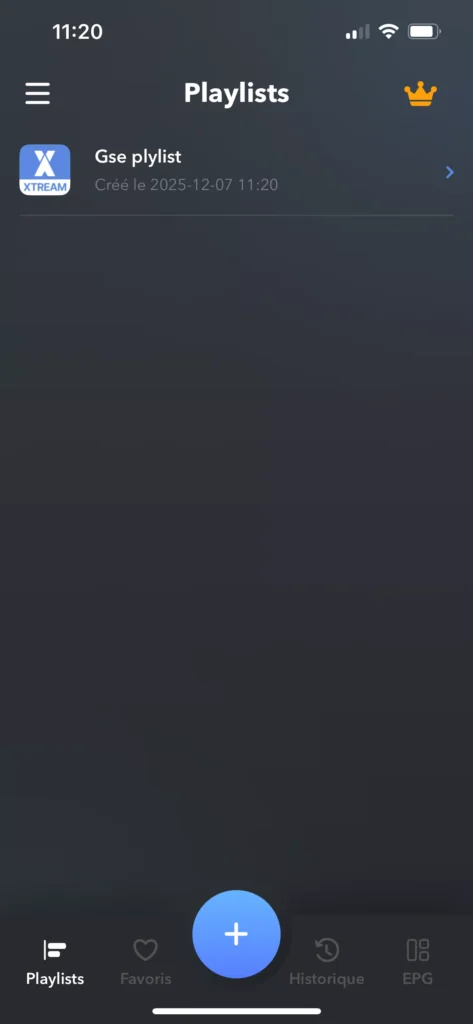
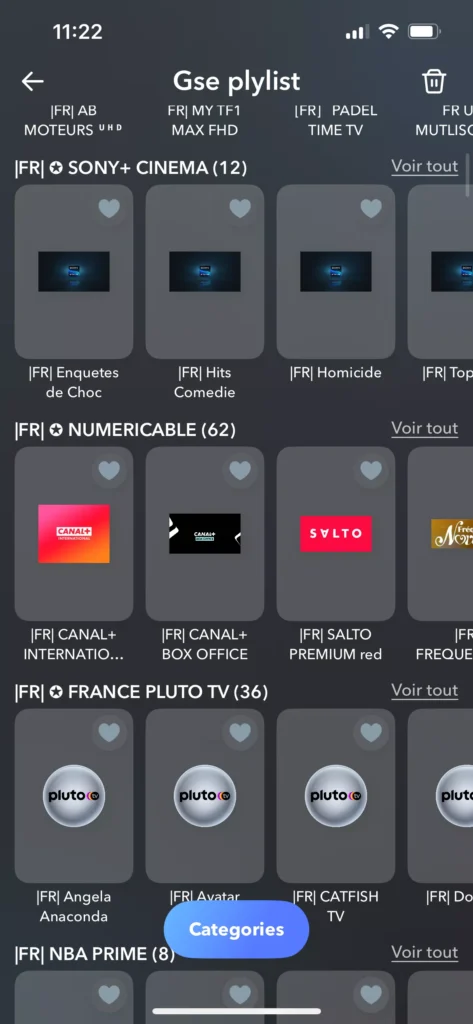
After entering it, you will wait a few moments, and then you will find your favorite and diverse content, including series, live channels, and movies, all available to watch comfortably.
Find also : Smarters Player Lite Review.
Alternative apps to Gse Smart IPTV :
Iptv stream player
This app stands out as one of the best iptv alternatives available on the app store, offering a smooth experience on iphone with its powerful 4k iptv player features. With helpful user tips and a clear what’s new section, it provides easy navigation and automatic functions for better usability. The pro version enhances performance even more, and no subscription is required to start enjoying its capabilities.
Zen iptv player
This player is highly intelligent, loading your content and presenting it in an elegant interface that improves your viewing experience. It supports replay, 4K, HDR, Dolby Vision, subtitles, multi-language audio, and m3u playlists. Its built-in powerful system ensures smooth video performance. If any issue occurs, the developer provides setting options, accessibility features, and http support to help you enjoy a seamless experience.
VU IPTV Player
This app is also a great solution for connecting to your IPTV source and watching live TV, movies, and series on your device. It supports xtream codes api, loading M3U files, and even rtsp connections for smoother streaming. If you prefer another app, this one remains a strong alternative. It offers a modern interface, parental control, and minor adjustments that enhance safety and usability for every user.
For more IPTV apps, look into :
Conclusion
This was our GSE Smart IPTV review for iOS. As you can see screenshots, the experience was very easy and simple, and the app was smooth and easy to use. It is also verified by apple, which adds more trust for users. We also introduced similar apps that offer the same quality of use and a seamless overall experience.
