
In today’s article, we present a comprehensive review of the Televizo IPTV player app, highlighting its main features, device compatibility, and performance. We will also compare it against similar applications to help you decide if it is the right IPTV player for your setup.
Easy navigation
What is Televizo?
Televizo is one of the most capable IPTV media players available for Android devices, offering a smooth viewing experience for live TV channels, VOD, and series. It supports M3U playlists, Xtream Codes API, an electronic programme guide (EPG), catch-up TV, Chromecast, parental controls, subtitle and audio track selection, and much more. Whether you are a casual viewer or a power user, Televizo offers enough flexibility to suit most IPTV setups.
Key Features Deep-Dive
Televizo goes well beyond basic playback. Here is a closer look at the features that make it stand out:
M3U and Xtream Codes Support: Televizo accepts both M3U URL playlists and Xtream Codes API credentials, covering the two most common formats offered by IPTV providers. You can add multiple playlists and switch between them instantly.
EPG (Electronic Programme Guide): The built-in Televizo EPG pulls in programme schedules via XMLTV, so you can see what is on now and plan ahead. It integrates cleanly with your channel list and supports custom EPG URLs provided by your IPTV service.
Catch-Up TV: If your provider supports catch-up, Televizo lets you replay content you missed directly within the app — no separate app or browser needed.
Parental Controls: You can lock specific channels or entire categories with a PIN code, making it easy to restrict access for younger viewers without limiting what other users can watch.
Chromecast Support: Cast any stream from your phone or tablet directly to your TV using Chromecast — useful if you do not have a smart TV or dedicated streaming device.
Subtitles and Audio Tracks: Televizo supports multiple subtitle languages and audio tracks within a single stream, which is particularly handy for multilingual households or foreign-language content.
Favourites and Search: You can mark any channel, movie, or series as a favourite and access it instantly. The built-in search makes finding specific content quick even across large playlists.
Picture-in-Picture (PiP): Keep watching a stream in a floating window while using other apps on your device simultaneously.
My experience
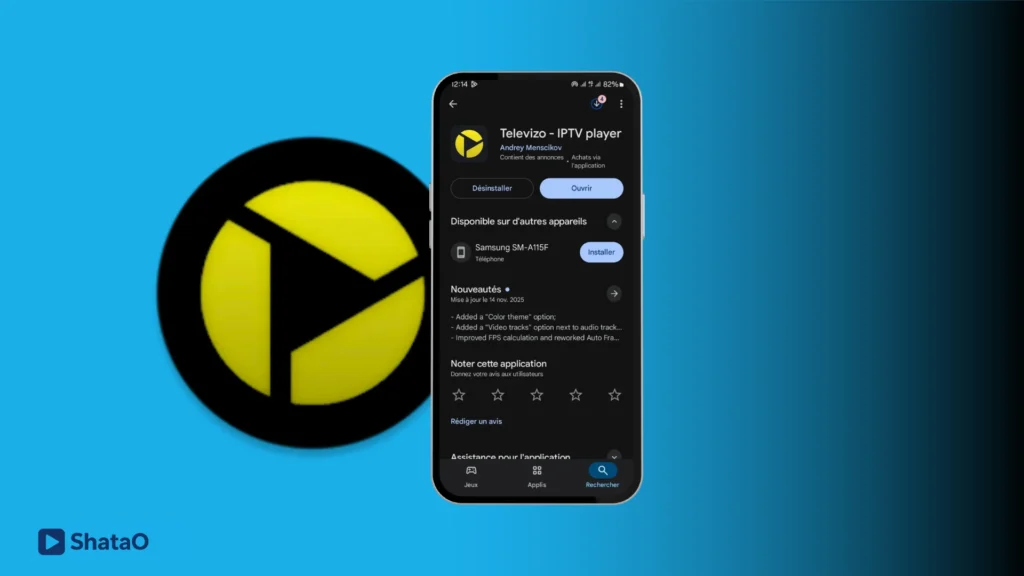
First, we will download the app from the Play Store to begin our testing.
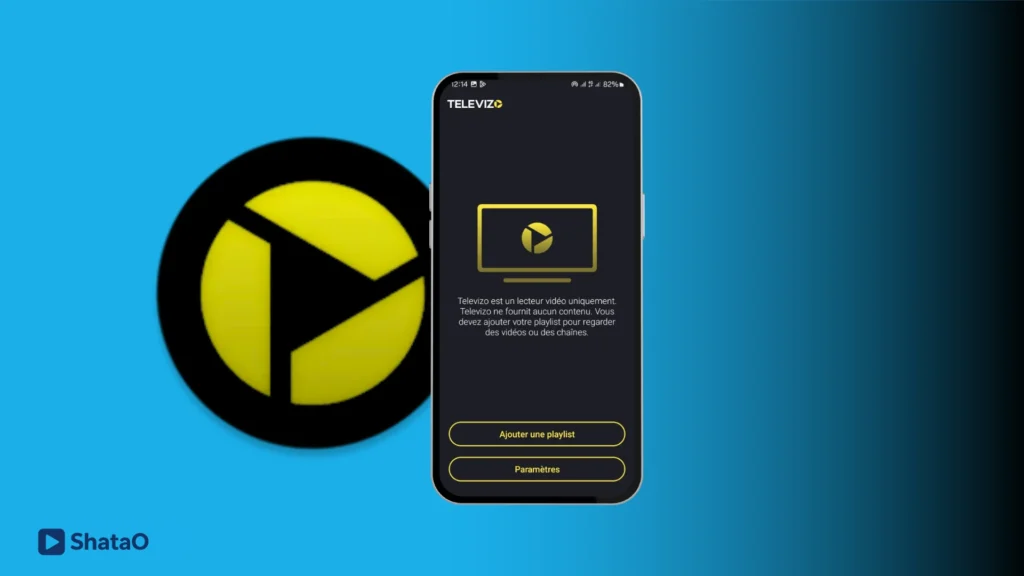
Once the app is downloaded, we will open it, and the interface will display the option to add a playlist. We will tap on it and choose the playlist we want to subscribe to.
See how to add a playlist on IPTV
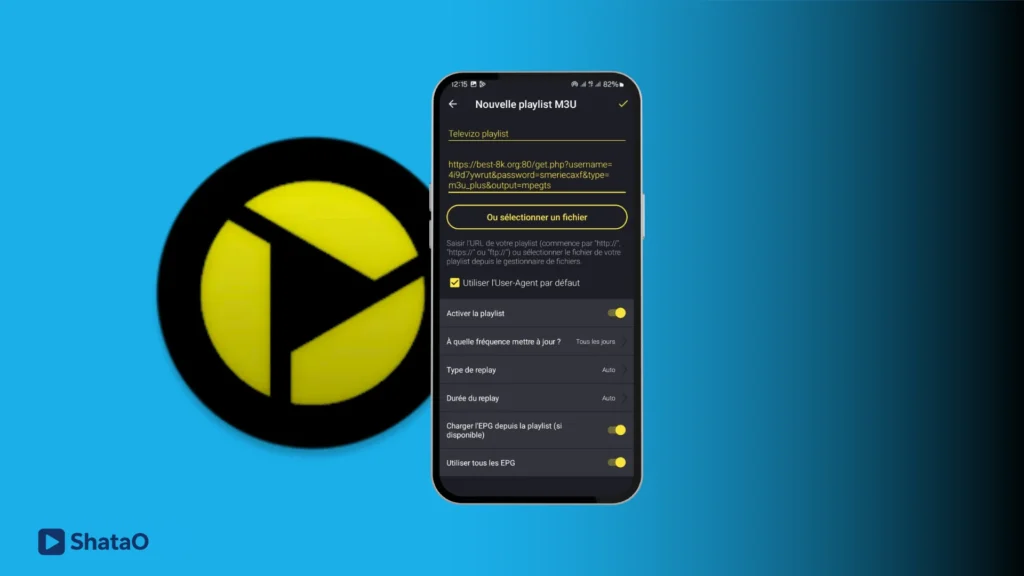
After that, we choose to add a playlist using the M3U format. We enter the playlist name, copy the server link, and then add it.
To find a reliable service, check the best IPTV UK providers
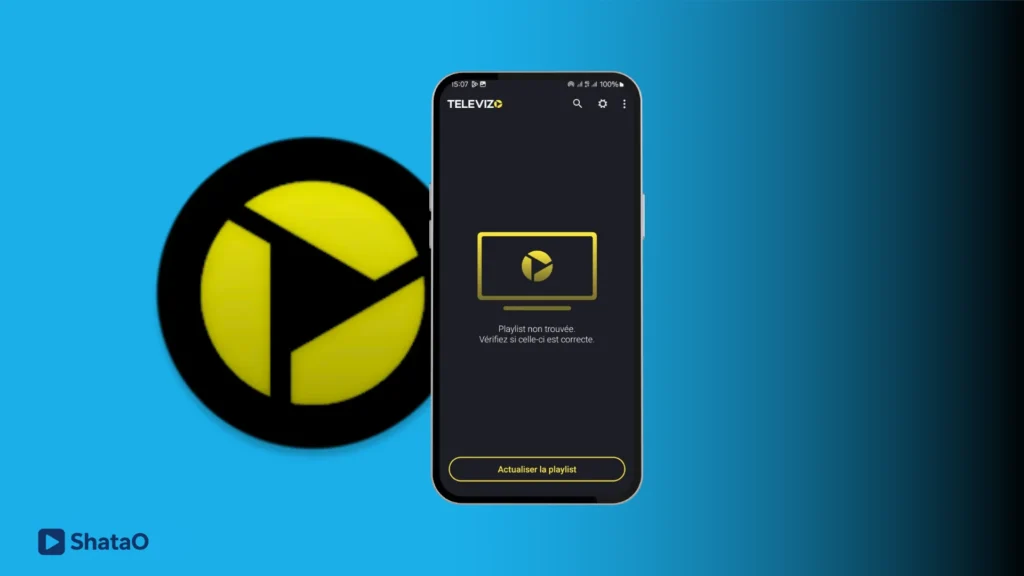
After adding the playlist, we waited for the content to load, but we did not find any content in the app and nothing was available to watch.
How to Download Televizo
Televizo is available through several channels depending on your device:
Download from Google Play (Android)
The easiest way to get Televizo on any Android phone or tablet is through the Google Play Store. Simply search for “Televizo”, tap Install, and it will be ready in seconds. This is the safest and most up-to-date method.
Download the Televizo APK
If you need the Televizo APK for a device that does not have access to Google Play — such as a Firestick or a TV box — you can download the APK file directly from the official Televizo website or a trusted APK source. Always download the APK from the official source to avoid modified or unsafe versions. The Televizo mod APK versions circulating online are unofficial and may carry security risks.
Televizo for PC and Windows
There is no native Televizo app for Windows or Mac. However, you can run Televizo on your PC by using an Android emulator such as BlueStacks or LDPlayer. Install the emulator, then search for and install Televizo through the emulator’s built-in Play Store. This gives you a full Televizo experience on a larger screen at no extra cost.
Device Compatibility
Televizo works across a wide range of devices. Here is a full breakdown:
| Device | Compatible? | How to Install |
|---|---|---|
| Android Phone / Tablet | ✅ Yes | Google Play Store |
| Amazon Firestick | ✅ Yes | Sideload via APK (Downloader app) |
| Android TV Box | ✅ Yes | Google Play Store or APK sideload |
| Samsung Smart TV (Tizen) | ⚠️ Limited | Not on Tizen app store — use Chromecast from phone instead |
| LG Smart TV (webOS) | ⚠️ Limited | Not on LG app store — use Chromecast from phone instead |
| Windows / Mac PC | ⚠️ Via emulator | BlueStacks or LDPlayer Android emulator |
| iOS (iPhone / iPad) | ❌ No | No iOS version available |
Televizo for Firestick is one of the most searched setups. Since Televizo is not available on the Amazon App Store, you need to enable “Apps from Unknown Sources” in Firestick settings, then use the Downloader app to install the Televizo APK by entering the official download URL. Once installed, it runs smoothly on Firestick and gives you access to all its features.
Televizo Premium
Televizo offers a free version with core features, and a Televizo Premium (also referred to as Televizo Pro) upgrade that unlocks additional functionality. The premium version is activated via a licence key — you purchase access and receive an activation code to enter within the app.
What Televizo Premium includes:
The premium tier removes ads, unlocks advanced EPG features, enables additional player options, and removes any playlist or channel count restrictions present in the free version. It is a one-time or subscription-based purchase depending on the licence type.
How to get a Televizo Premium activation code: Visit the official Televizo website or the in-app purchase screen. After completing the payment, you will receive an activation code by email. Open Televizo, go to Settings → Premium, and enter the code to activate. Some third-party resellers also offer Televizo premium activation codes — only purchase from reputable sources to avoid invalid keys.
Televizo Premium cost: Pricing varies depending on the licence duration and region. Check the official Televizo website for current pricing, as it may be updated periodically.
Televizo vs Competitors: Quick Comparison
How does Televizo stack up against other popular IPTV players? Here is a side-by-side comparison of the most relevant features:
| Feature | Televizo | TiviMate | IPTV Smarters | GSE IPTV |
|---|---|---|---|---|
| M3U Support | ✅ Yes | ✅ Yes | ✅ Yes | ✅ Yes |
| Xtream Codes | ✅ Yes | ✅ Yes | ✅ Yes | ✅ Yes |
| EPG Support | ✅ Yes | ✅ Yes | ✅ Yes | ✅ Yes |
| Catch-Up TV | ✅ Yes | ✅ Yes | ✅ Yes | ✅ Yes |
| Chromecast | ✅ Yes | ❌ No | ❌ No | ❌ No |
| Parental Controls | ✅ Yes | ✅ Yes | ❌ No | ✅ Yes |
| iOS Support | ❌ No | ❌ No | ✅ Yes | ✅ Yes |
| Free Version | ✅ Yes | ✅ Yes | ✅ Yes | ✅ Yes |
| Firestick (APK) | ✅ Yes | ✅ Yes | ✅ Yes | ❌ No |
Televizo is particularly strong for Android users who want Chromecast support and solid EPG integration. TiviMate is often the preferred choice for Android TV boxes with a remote, while IPTV Smarters and GSE IPTV have the edge for iOS users. For most Android phone and tablet users, Televizo is one of the best free options available.
Alternative Apps
Xciptv
The XCiptv app features a simple and easy-to-use interface, making it suitable for Android users. It offers many features such as electronic program guide (EPG) support, Xtream Codes and M3U file support, as well as catch-up viewing. Users can also add channels, movies, and series to their favourites, and the app includes built-in players such as VLC and ExoPlayer.
Zen IPTV Player
Zen IPTV Player is an advanced media player that allows you to watch your favourite programmes on TV, phone, tablet, or computer, with the ability to continue watching from where you left off. It supports TV channels and replay, as well as 4K, HDR, and Dolby Vision quality. The player also supports subtitles and multiple audio languages, and features Picture-in-Picture mode and automatic grouping of different content versions.
IPTV Smart Player
This app features many capabilities that provide high-quality viewing for channels, live streaming, series, and movies. It is a powerful video player with a cinematic experience, supporting 4K, HD, and SD. The APK for Android is available in the latest version, offering free access.
Find more: Best IPTV apps for Android
Frequently Asked Questions (FAQ)
How does Televizo work?
Televizo works as an IPTV player — it does not provide channels on its own but connects to an IPTV subscription you already have. You add your provider’s M3U URL or Xtream Codes credentials into the app, and Televizo loads your channels, VOD content, and programme guide automatically. Think of it as a smart remote control for your IPTV service.
How do I install Televizo?
On Android phones and tablets, install Televizo directly from the Google Play Store by searching for “Televizo”. On a Firestick, you need to sideload the Televizo APK: enable “Apps from Unknown Sources” in Firestick settings, install the Downloader app, and use it to download and install the Televizo APK from the official URL. On PC, use an Android emulator like BlueStacks.
Where can I download the Televizo APK?
The safest place to download the Televizo APK is the official Televizo website. Avoid downloading the APK from random third-party sites, as modified or unofficial versions (sometimes labelled as “Televizo mod APK”) can contain malware or be out of date. The official APK is free and gives you the standard version of the app.
Is IPTV live TV free?
Televizo itself is free to download and use. However, live TV content requires an IPTV subscription from a provider — this is a separate paid service. Free IPTV playlists do exist online, but they are typically unreliable and may not be legal. For a stable, high-quality experience, a paid IPTV subscription in the UK is the recommended route.
Is Televizo available for Samsung or LG Smart TVs?
Televizo is not available on the Samsung Tizen or LG webOS app stores. If you have a Samsung or LG Smart TV, the best workaround is to install Televizo on your Android phone and use Chromecast to stream content to your TV screen. Alternatively, a dedicated Android TV box connected to your TV gives you full Televizo functionality.
Conclusion
In this article, we have shared a full review of the Televizo IPTV player, covering its features, device compatibility, premium options, and how it compares to other popular apps. Televizo is a solid, feature-rich option for Android users looking for a reliable IPTV player — especially if Chromecast support or a clean EPG experience matters to you. We hope this guide helps you make the right choice. Feel free to share your experience in the comments below.
