
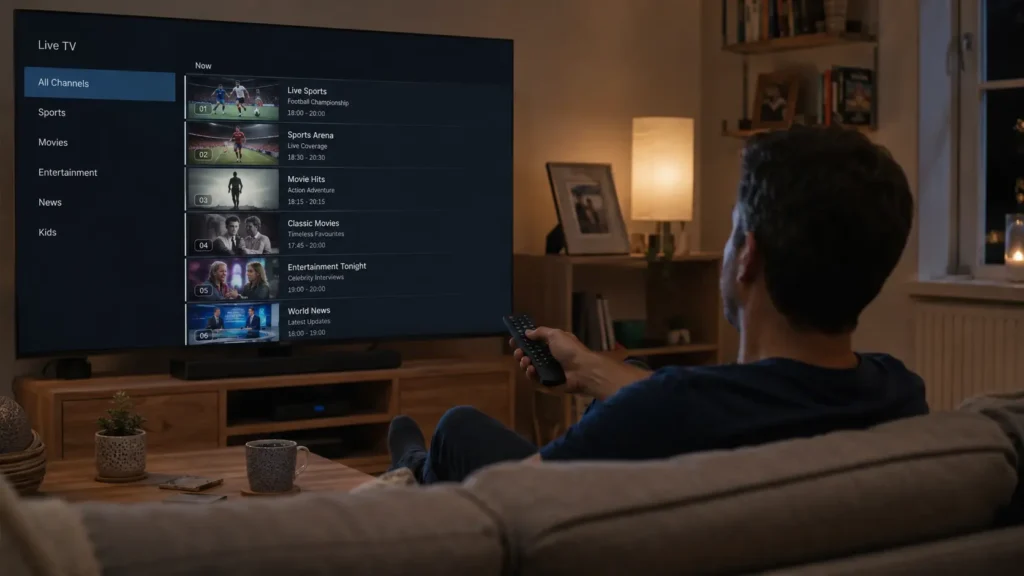
Most IPTV providers in the UK offer a free trial before you pay. It is the smartest way to check whether a service actually works on your device, your broadband connection, and with the content you care about.
A good trial gives you full access to live channels, sports, and on-demand titles for a set period, typically between 24 and 72 hours. That is enough time to test performance under real conditions and decide whether the service is worth subscribing to.
According to Ofcom’s Media Nations UK 2025 report, the number of UK households using streaming-only setups has grown steadily year on year, which is why knowing how to choose the right IPTV service matters more than ever.
This guide explains how IPTV free trials work in the UK, how long they last, what to test during yours, and the warning signs to watch for before committing to a paid plan.
What Is an IPTV Free Trial?
An IPTV free trial is a short period of access to an IPTV service that lets you test it at no cost. You get login credentials, install a player app on your device, and stream as normal.
The key difference from a paid subscription is time. You have a limited window, usually 24 to 72 hours, to check how the service performs. A genuine trial gives you the same streams, the same channel list, and the same server infrastructure as a paid account.
Some providers offer restricted demos that only show a handful of channels or low-quality streams. That does not count as a proper trial. A real IPTV free trial reflects exactly what you will receive after you pay.
If you are new to IPTV and unsure how it works, our complete guide on how to get IPTV covers the basics before you start testing.
How Long Do IPTV Free Trials Last in the UK?
Trial lengths vary between providers. Here is what you typically see in the UK market:
| Trial Length | What It Covers |
|---|---|
| 24 hours | One full evening and morning. Good for a quick stability check. |
| 48 hours | Two days. Enough to test across different times, including peak hours. |
| 72 hours | Three days. Recommended if you want to check live sport on a match day. |
| 7 days | Rare but ideal. Gives a full week of real-world testing. |
A 48-hour trial is the most common and usually gives enough time to make a confident decision. The most useful tests happen in the evenings between 7 pm and 11 pm, when broadband usage is highest across UK households and server demand peaks.
What to Test During Your IPTV Free Trial
Most people open the app, flick through a few channels, and assume everything is fine. That is not enough. Here is what to actually check.
1. Stream Stability and Loading Speed
Open 10 to 15 different channels across different categories. Note how fast each one loads. A good service starts a stream within 2 to 3 seconds. If channels take longer or buffer after a few minutes, that is a problem worth flagging.
Test at different times of day. A channel that runs smoothly at 3 pm can still freeze during a busy evening slot. Run your trial tests during peak hours to get a realistic picture.
2. Live Sports and Events
Live sports are where weak services get exposed. If you plan to use IPTV mainly for live sport, focus your trial testing here.
Open a sports channel during a live broadcast. Watch for at least 20 minutes. Check for freezing, pixelation, or audio that goes out of sync. These issues during a trial almost always continue once you subscribe.
3. Video Quality: HD and 4K
Check that the channels you care about actually load in the quality advertised. A service may list 4K channels, but the real test is whether your device and connection can sustain that quality without buffering.
For HD streaming, your connection needs at least 10 Mbps per stream. For 4K, aim for 25 Mbps or higher per stream, as outlined by general streaming quality guidelines from Uswitch. Using a wired Ethernet connection rather than Wi-Fi reduces interruptions significantly.
4. Channel Organisation and EPG
A service with 50,000 channels is frustrating to use if none of them are organised properly. During your trial, check whether:
- UK channels are easy to find
- Categories make logical sense
- The Electronic Programme Guide (EPG) shows accurate titles and times
- Searching for a specific channel works quickly
A messy EPG is one of the most common complaints about IPTV services. Test it during the trial rather than after payment.
5. VOD Library and On-Demand Content
If films and series are important to you, spend time in the on-demand section. Check how many titles load properly, whether the library is organised by genre, and how fast a film starts once you select it.
A large VOD count means nothing if titles buffer, fail to play, or are poorly categorised.
Test on the Device You Actually Plan to Use
This sounds obvious, but many people test IPTV on a phone and then subscribe intending to use it on a Smart TV or a different device. A service that works well on Android may behave differently on a Samsung Smart TV or an Apple TV.
Test your trial on the device you plan to keep using. The main devices supported by UK IPTV services are:
- Amazon Firestick and Fire TV – Our guide to the best IPTV players for Firestick shows the apps that work best.
- Android phones, tablets, and boxes – See the top IPTV apps for Android for the best setup options.
- iPhone and iPad – Check our best IPTV players for iPhone before installing your trial.
- Apple TV – Our IPTV apps for Apple TV guide covers the right apps.
- Windows PC – See the best IPTV players for Windows.
- MAG boxes and Smart TVs – Ask the provider which app or portal they recommend for your specific model.
If you plan to use the service on two or more devices at the same time, check whether the trial supports multiple concurrent connections. Some plans limit you to one stream at a time.
How to Request an IPTV Free Trial in the UK
The process is the same across most UK providers. Here is what to expect:
- Visit the provider’s website and find the free trial or test account page.
- Submit your details, usually just an email address. A good provider will not ask for payment card information for a free trial.
- Receive your credentials by email, typically within a few minutes. You will get a username, password, and server URL.
- Download an IPTV player on your device. Popular options include IPTV Smarters Pro, GSE IPTV Player, or Televizo for Android and Firestick.
- Enter your credentials or add your playlist and start streaming.
The whole process should take under 10 minutes. If a provider makes it complicated before you have even paid, that is a sign of things to come.
Red Flags to Watch for During a Trial
Not every IPTV trial is worth your time. These are the warning signs to take seriously:
Poor response from support. If you message the provider during your trial and they take hours to reply, or do not reply at all, expect the same after payment.
Key channels failing repeatedly. A stream going down once during a 48-hour trial can happen for many reasons. But if a category of channels consistently fails or takes a long time to load, that is a pattern.
Pressure to subscribe before your trial ends. A confident provider wants you to test the service properly. If you are being pushed to commit before you have finished testing, something is off.
No sports access during the trial. Some providers quietly limit trial accounts to avoid revealing that live sport performs poorly. If sports channels are blocked or degraded during your trial, ask the provider directly why.
Complicated or delayed activation. If your trial credentials take more than 30 minutes to arrive, or the setup instructions are unclear, that reflects how support will work long term.
What to Do After Your Trial Ends
If the trial worked well, the next step is choosing the right subscription plan. Most UK IPTV providers offer monthly plans, with longer subscriptions available at a lower price per month.
Consider the following before subscribing:
- How many devices do you need? If your household wants to stream on more than one screen at a time, check whether the plan supports multiple connections or whether add-ons are available.
- What content matters most? If live sport is the priority, confirm which sports channels are included in the base plan.
- Do you need an annual commitment? Monthly plans keep flexibility high. Longer plans save money but remove the option to cancel quickly.
For a detailed comparison of what to look for across different providers, our guide to the best IPTV subscription in the UK covers the most reliable options tested in 2026.
Frequently Asked Questions
1. Which IPTV services offer a free trial in the UK?
Most UK IPTV providers offer a trial, typically lasting 24 to 48 hours. The length and access level vary. Look for providers that give full access to live channels, sports, and VOD during the trial rather than a restricted preview.
2. Can you get fined for using IPTV in the UK?
IPTV technology itself is legal. The legal question depends on the content being streamed and whether the provider holds the right licences. Licensed services operating within UK broadcasting regulations are fully legal to use. Always choose a provider that is transparent about its content rights and complies with Ofcom guidelines.
3. Do IPTV free trials require a credit card?
Most legitimate UK providers do not require payment details for a free trial. If a provider asks for card information before activating a “free” trial, read the terms carefully to make sure you will not be charged automatically when the trial ends.
4. What internet speed do I need for an IPTV trial?
For HD streams, a stable connection of 10 Mbps per stream is the minimum. For 4K content, 25 Mbps or above is recommended. A wired Ethernet connection gives more consistent results than Wi-Fi, especially during peak evening hours when home network traffic is highest.
5. How long is enough for an IPTV free trial?
A 48-hour trial is enough to make a confident decision if you test at the right times. Run your main tests during weekday evenings between 7 pm and 11 pm. That is when UK broadband networks are busiest and when any server-side weaknesses will show up most clearly.
Ready to Start?
A free IPTV trial is the lowest-risk way to find out whether a service fits your household. Test the channels you actually watch, check performance during peak hours, and use the device you plan to keep using.
Once your trial is complete and you are ready to choose a plan, see our full review of the best IPTV subscriptions in the UK for 2026.
