
In this IPTV Smarters Pro review, we give you a complete picture of the app — what it does, which devices it works on, how to configure it properly, and whether it is worth using in 2026. We tested it on a real Android device with a live UK IPTV subscription and share our honest findings below.
Easy navigation
What is IPTV Smarters Pro?
IPTV Smarters Pro is one of the most popular IPTV apps for Android devices, allowing you to stream live TV, movies, and series from any IPTV provider. It supports M3U playlists, Xtream Codes API, and Stalker Portal, making it compatible with virtually every UK IPTV service. The app offers multi-screen viewing, EPG integration, catch-up TV, and a clean interface designed for everyday use on phones, tablets, Firestick, and Android TV boxes.
Key Features
Here is what IPTV Smarters Pro offers that makes it stand out among Android IPTV players:
Multiple Playlist Formats: Supports M3U URLs, M3U file imports, Xtream Codes API, and Stalker Portal — covering every major format used by UK IPTV providers.
EPG (Electronic Programme Guide): Pulls XMLTV programme schedules so you can see what is on now and what is coming up. Configurable refresh intervals keep the guide current.
Multi-Screen Mode: Watch up to four channels simultaneously in a split-screen layout — useful for sports fans who want to follow multiple matches at once.
External Player Support: You can route streams to VLC or MX Player if the built-in player struggles with certain stream formats or codecs.
Catch-Up TV: If your IPTV provider supports it, Smarters Pro lets you rewind and watch previously aired content directly in the app.
Parental Controls: Password-protect specific channels or categories to manage what younger viewers can access.
Favourites & Search: Star your most-watched channels for one-tap access, and use the fast search bar to find channels or VOD content across large playlists.
My experience :
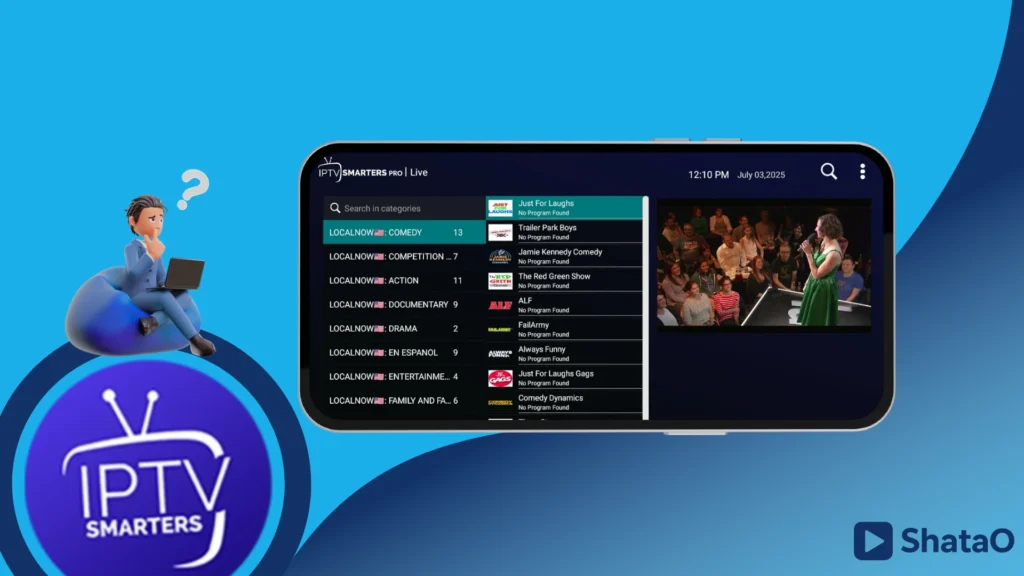
To begin our experience with the app, we will first download it using this link.
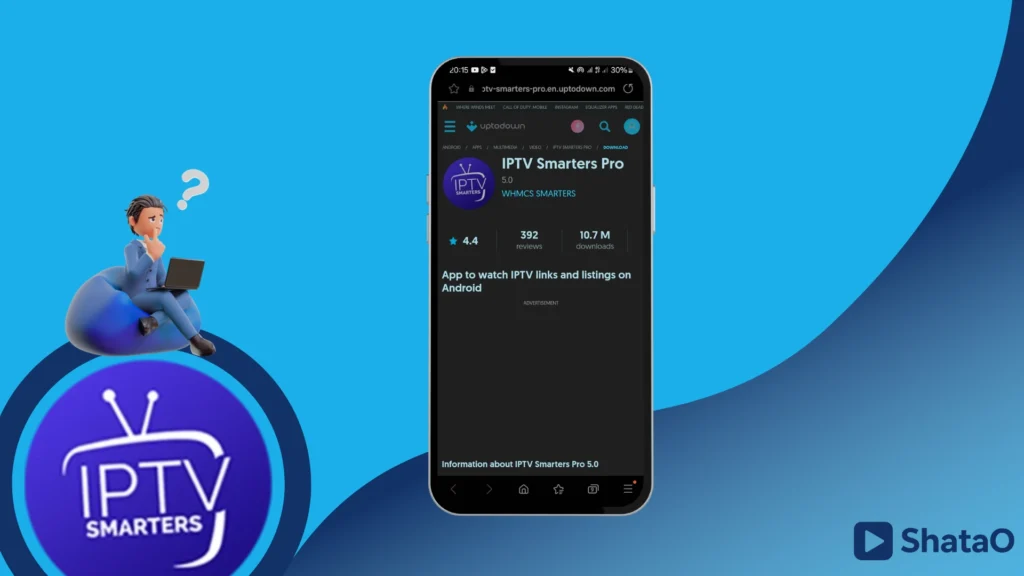
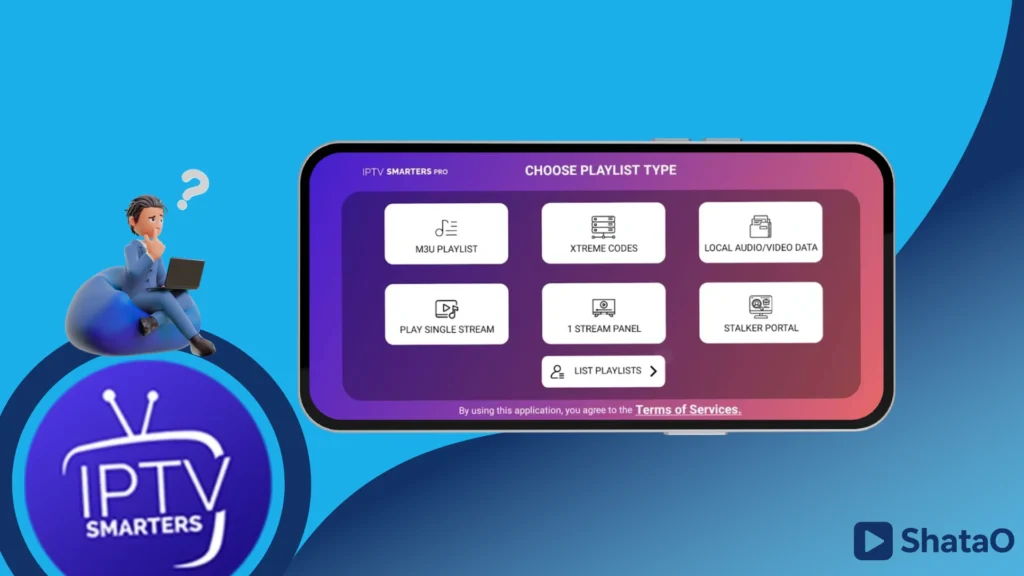
After downloading and opening the app, we will find that it offers several formats. We will choose Xtream Codes in order to add the playlist there.
Find also : Smarters Player Lite app review & how it works
We will fill in the required information: the username, the password, and the server URL, and we will add a name for our personal playlist.
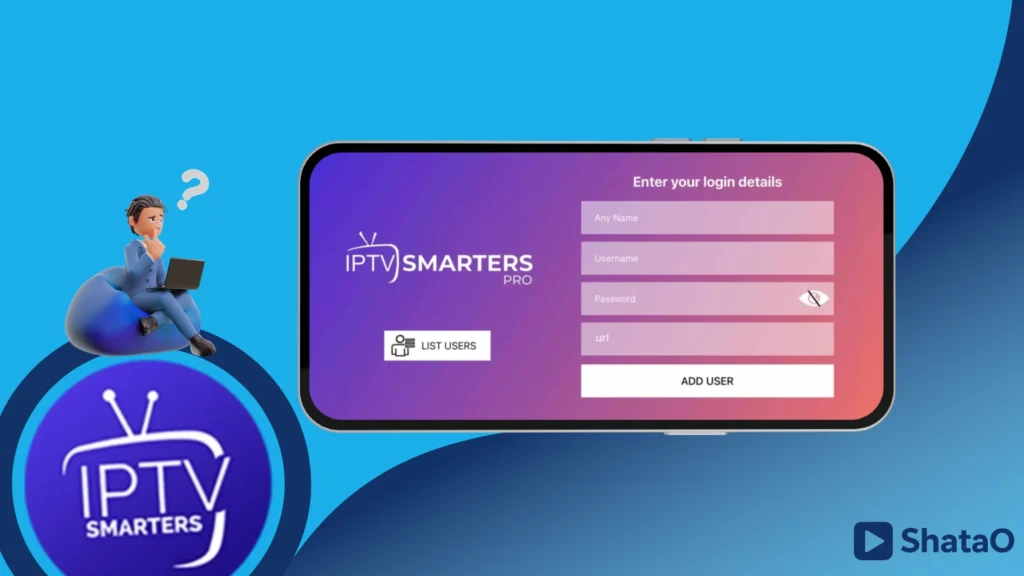
You will wait a few moments for the content to load, and after that, you can enjoy watching.
See also: How to get IPTV on iPad
Device Compatibility
One of IPTV Smarters Pro’s biggest strengths is how many devices it supports. Here is a full breakdown:
| Device | Compatible | Notes |
|---|---|---|
| Android Phone / Tablet | ✅ Yes | Download from Google Play or APK |
| Amazon Firestick | ✅ Yes | Sideload via Downloader app |
| Android TV Box | ✅ Yes | Works well with remote navigation |
| Nvidia Shield | ✅ Yes | Full Android TV support |
| iPhone / iPad | ❌ No | Use IPTV Smarters Player Expert instead |
| Samsung Smart TV (Tizen) | ❌ No | Use Smart IPTV or a streaming stick |
| Windows PC / Mac | ❌ No | No official desktop app available |
| Apple TV | ❌ No | See our best IPTV players for Apple TV guide |
For iPhone and iPad users, the closest equivalent is IPTV Smarters Player Expert, which offers the same core features on iOS. For Windows, check our roundup of the best IPTV players for Windows.
Advanced Settings Guide
Once your playlist is loaded, a few settings adjustments make a noticeable difference to the overall experience.
Setting Up the EPG
Go to Settings → EPG & Catch-Up and enter the XMLTV EPG URL provided by your IPTV supplier. Set the refresh interval to every 12 or 24 hours so the guide stays accurate. Once loaded, you will see a full programme schedule displayed alongside each live channel.
Fixing Buffering Issues
If streams stutter or buffer, go to Settings → Player Settings and switch from the default player to VLC Player. This resolves playback issues for the majority of users. Also check that your device is connected via Wi-Fi rather than mobile data, and that your connection speed is at least 25 Mbps for HD and 50 Mbps for 4K streams.
Using Multi-Screen Mode
Tap the grid icon in the top-right corner of the live TV section to enter multi-screen mode. You can select up to four channels and arrange them in a split layout. Audio plays for the selected (highlighted) channel only. This feature works best on tablets and Android TV boxes with larger screens.
Managing Multiple Playlists
IPTV Smarters Pro lets you add and switch between multiple playlists from the home screen. This is useful if you have subscriptions from more than one provider, or if you want to keep a personal M3U list separate from an Xtream Codes account. Each playlist stores its own EPG and favourites settings independently.
Alternative apps
IPTV :
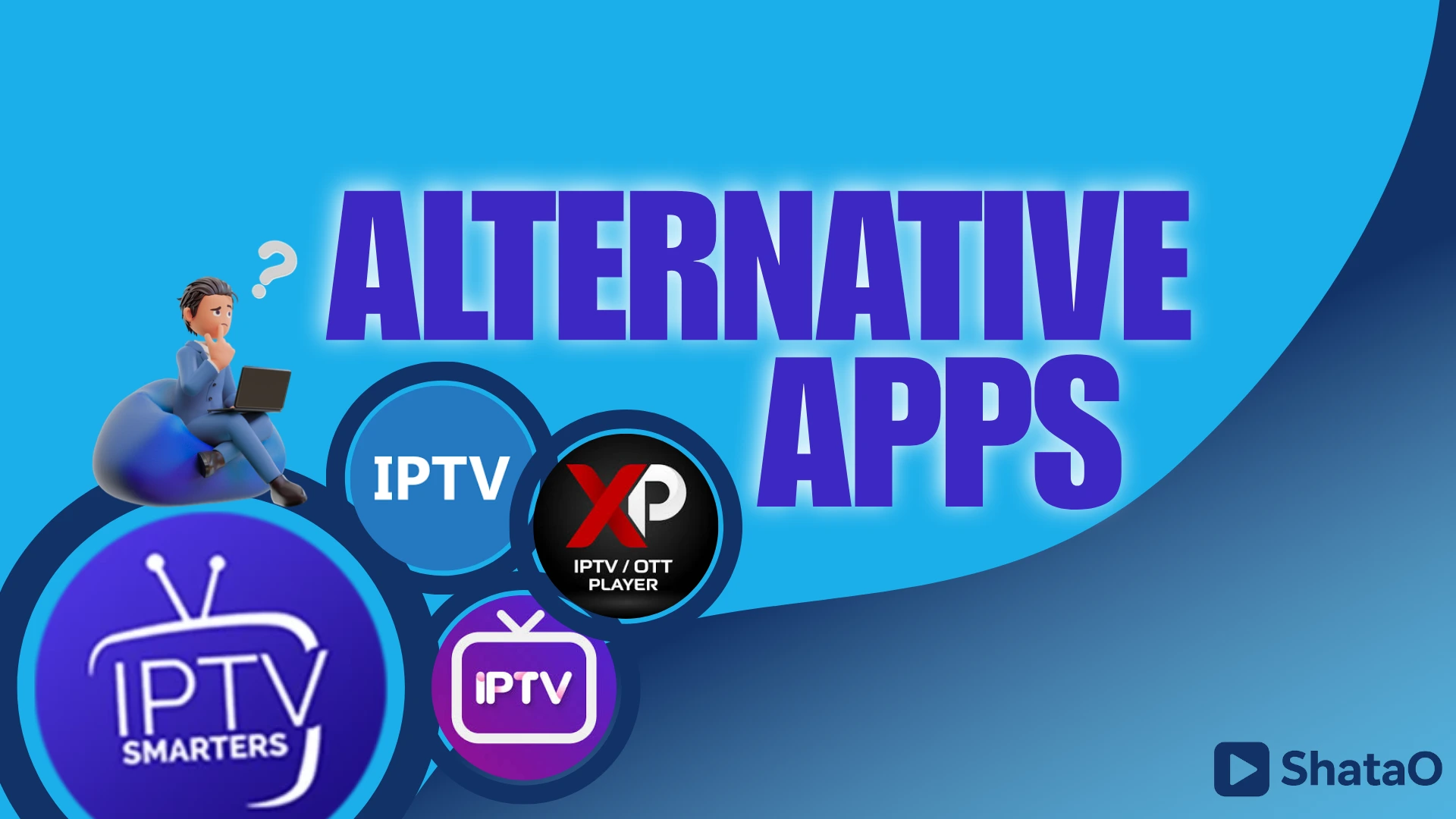
It is considered one of the best alternative options you can use, as it allows you to watch live TV channels for free from any source. It supports many features, including M3U and XSPF playlists, multicast streaming using a UDP proxy, and displaying channels in grid or list views. It also supports program guides in XMLTV and JTV formats, and includes parental control to help protect your content.
XP IPTV :
The app offers a complete viewing experience that supports movies, series, live TV, and catch-up content. It also features easy compatibility through support for Xtream Codes and M3U playlists. You can enjoy a personalised experience with multiple playlists, customisable themes, and settings. Additionally, it supports Chromecast, an EPG channel guide, Picture-in-Picture mode, and parental controls.
IPTV Player :
The app offers a free and safe way to stream multimedia content with support for M3U and M3U8 playlists and Xtream IPTV. Users can add favourites, customise playlists, and enjoy advanced tools like brightness control and screen lock. The latest version provides fast channel search, easy access to every section, and smooth performance across Android devices.
If you are on iOS, GSE IPTV Player is a strong alternative with similar Xtream Codes and M3U support. Android TV users may also want to consider Televizo, which is optimised for remote-control navigation on big screens.
Worth checking out :
Best IPTV players for Apple TV
Frequently Asked Questions
Is IPTV Smarters Pro good?
Yes — IPTV Smarters Pro is one of the best free IPTV players available for Android. It is reliable, supports all major playlist formats, and handles EPG and catch-up TV well. The multi-screen mode and external player support (VLC, MX Player) give it an edge over simpler apps. The main limitation is that it is Android-only — iPhone and iPad users need a different app.
Do you have to pay for IPTV Smarters?
The IPTV Smarters Pro app itself is free to download and use. There are no subscription fees for the player. However, you will need a separate paid IPTV subscription from a provider to actually stream any content — the app is just the player. See our guide to the best IPTV subscriptions in the UK to find a tested provider.
Is using IPTV legal in the UK?
The IPTV Smarters Pro app is completely legal — it is simply a media player. Whether streaming content through it is legal depends entirely on the IPTV subscription you use. Licensed providers that pay for broadcast rights are legal; unlicensed services that redistribute channels without permission are not. Always choose a legitimate, licensed provider to stay within UK law.
What is the best IPTV service available?
The best IPTV service depends on your budget, channel requirements, and device. We have tested the leading UK providers across channel count, stream stability, EPG accuracy, and customer support. You can find our full ranked list in our guide to the best IPTV services in the UK.
Can I use IPTV Smarters Pro on Firestick?
Yes. IPTV Smarters Pro works on Amazon Firestick but is not available directly from the Amazon App Store. You need to sideload it using the Downloader app: enable “Apps from Unknown Sources” in your Firestick settings, install Downloader, then enter the APK download URL to install Smarters Pro. Once installed it works smoothly with the Firestick remote.
Conclusion :
Our IPTV Smarters Pro review comes to a positive conclusion. It is a capable, free, and well-maintained IPTV player that works across Android phones, tablets, Firestick, and Android TV boxes. The multi-screen mode, VLC player support, and solid EPG integration make it one of the strongest options available for Android users in the UK. The only real drawback is that it does not support iOS, Samsung Smart TVs, or desktop platforms — but for Android and Firestick users, it is hard to beat.
Need an IPTV subscription to pair with Smarters Pro? Check our guide to the best IPTV subscriptions in the UK — all top providers tested and ranked for 2026.
