
Today’s article focuses on our review of the GSE IPTV Player app. We will download and test the application to give you our honest and clear opinion about its performance and features. Through this hands-on experience, we aim to help you determine whether the app is efficient and suitable for your daily use.
Table of Contents
What is the GSE IPTV Player?
GSE IPTV Player is one of the latest media players that offers a complete solution for smooth streaming of live TV, movies, series, and video-on-demand content. It features an easy-to-use interface and powerful playback capabilities. The application also provides a smooth and high-quality viewing experience on Android devices.
Key Features of GSE IPTV Player
GSE IPTV Player stands out from other media players thanks to a strong set of features built specifically for IPTV streaming. Here is what makes it worth considering:
Multiple Playlist Formats: GSE IPTV supports M3U, M3U8, and Xtream Codes API, so it works with virtually any IPTV provider. You can manage several playlists at once and switch between them easily.
EPG (Electronic Programme Guide): The built-in EPG displays a full programme schedule so you always know what is on now and what is coming up next. It supports XMLTV format for full guide data.
Multiple Video Players: You can choose between the native player and external players like VLC or MX Player, giving you the flexibility to pick the one that handles your streams best.
Catch-Up TV Support: If your IPTV provider includes catch-up, GSE IPTV lets you watch previously aired content directly in the app — no extra setup required.
Parental Controls: You can password-protect channels or categories, making it easy to restrict content for younger viewers.
Picture-in-Picture (PiP): Watch a stream in a floating window while browsing other channels or using your device for other tasks.
Cross-Platform: Available on iOS and Android, with a clean interface that adapts well to both phones and tablets.
My experience
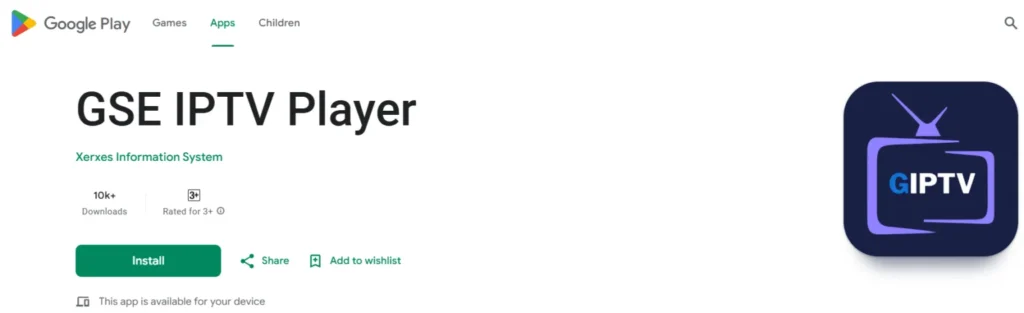
We will first download the app from Google Play to begin our testing.
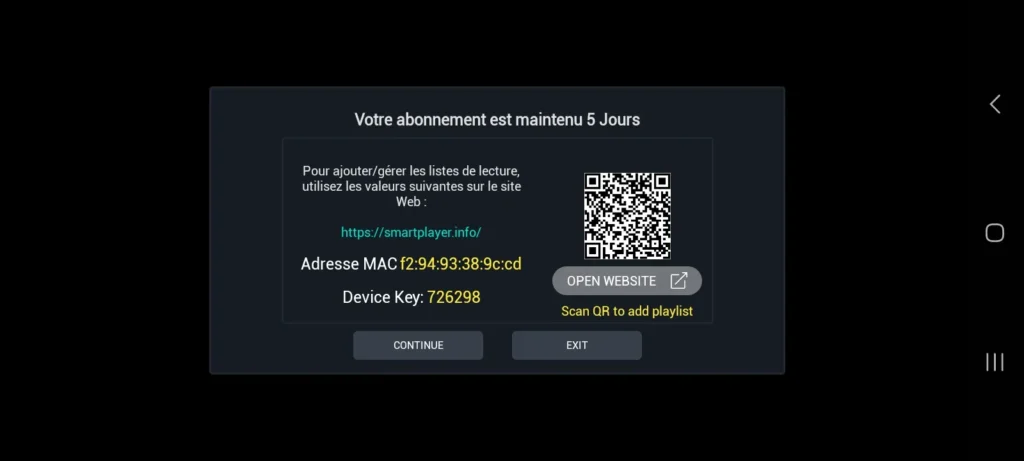
After downloading and opening the app, we find the displayed information and proceed to access the link indicated.
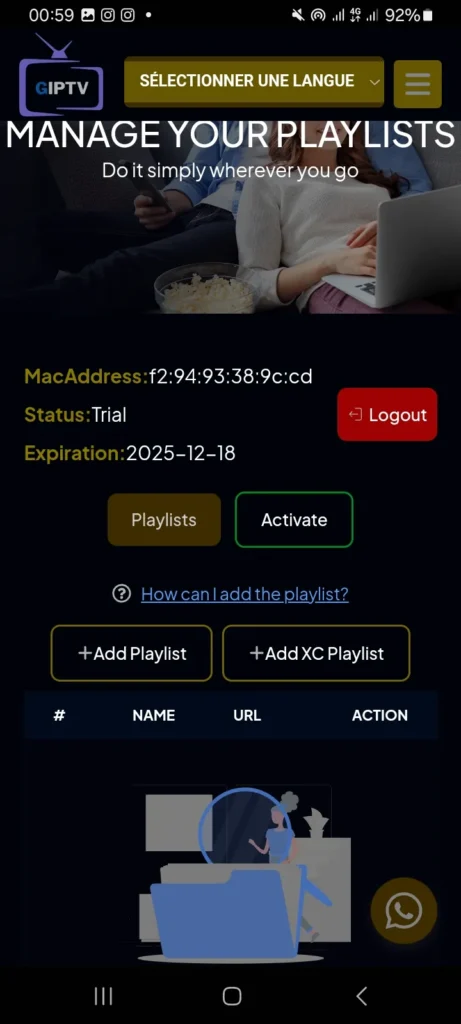
After logging in, we will select Add Playlist as shown in the image.
Looking for an IPTV subscription? See the best IPTV UK.
We will fill in the required information, add the playlist, and wait a short moment for the content to load.
After that, you will find your content ready to watch.
Detailed Setup Guide for GSE IPTV
Setting up GSE IPTV Player is straightforward. Follow these steps to get your streams running in just a few minutes:
Step 1: Download the App
Open the App Store (iOS) or Google Play (Android) and search for “GSE IPTV Player”. Download and install the app — it is free to download, with optional paid features available inside.
Step 2: Add Your Playlist
Once the app is open, tap Add Playlist on the home screen. You will see three options: M3U URL, M3U File, or Xtream Codes. Choose the method your IPTV provider uses. Most UK IPTV providers give you an M3U URL or Xtream Codes login — enter the details as provided.
Step 3: Load Your Channels
After saving your playlist, the app will begin importing your channels. This may take 30–60 seconds depending on how large your playlist is. Once loaded, all your channels will be organised by category automatically.
Step 4: Set Up the EPG (Optional)
For a programme guide, go to Settings > EPG Settings and enter your EPG URL (your provider should supply this). Refresh the guide and you will see programme schedules displayed next to each channel.
Step 5: Choose Your Player
Go to Settings > Player and select your preferred video player. If the native player has buffering issues with your streams, try switching to VLC player — many users find this improves playback stability significantly.
That is all there is to it. If you do not yet have an IPTV subscription, you will need one before the app can stream anything — see our guide to the best IPTV services in the UK for tested and ranked providers.
GSE IPTV Player: Pros and Cons
Here is a quick summary of the main strengths and weaknesses based on our testing:
| ✅ Pros | ❌ Cons |
|---|---|
| Supports M3U, M3U8 and Xtream Codes | Free version shows ads |
| Built-in EPG with XMLTV support | UI can feel dated on some screens |
| Multiple external player options (VLC, MX Player) | No built-in VPN or security features |
| Catch-Up TV support | Occasional sync issues with large playlists |
| Parental controls included | Limited customer support |
| Picture-in-Picture mode | Paid unlock required for full features |
| Works on both iOS and Android | No desktop (Windows/Mac) version |
GSE IPTV vs Competitors: Quick Comparison
Wondering how GSE IPTV stacks up against similar apps? Here is a direct comparison of the most popular alternatives:
| Feature | GSE IPTV | Televizo | IPTV Smarters | TiviMate |
|---|---|---|---|---|
| M3U Support | ✅ Yes | ✅ Yes | ✅ Yes | ✅ Yes |
| Xtream Codes | ✅ Yes | ✅ Yes | ✅ Yes | ✅ Yes |
| Built-in EPG | ✅ Yes | ✅ Yes | ✅ Yes | ✅ Yes |
| Catch-Up TV | ✅ Yes | ✅ Yes | ✅ Yes | ✅ Yes |
| PiP Mode | ✅ Yes | ❌ No | ❌ No | ✅ Yes |
| iOS Support | ✅ Yes | ✅ Yes | ✅ Yes | ❌ No |
| Free Version | ✅ Yes | ✅ Yes | ✅ Yes | ✅ Yes |
| VLC Player Option | ✅ Yes | ✅ Yes | ❌ No | ❌ No |
GSE IPTV holds its own in most categories, particularly for iOS users. TiviMate is often preferred for Android TV setups, while IPTV Smarters is popular for its clean interface. Your best choice ultimately depends on your device and personal preferences.
Alternative apps
Zen iptv player
The app features an elegant and clear interface that allows you to comfortably watch your movies, TV channels, and series in high quality. It also supports multiple formats and offers automatic content version grouping, along with the Picture-in-Picture feature.
Televizo
Televizo is considered one of the best media players and can be an excellent alternative for users looking for a reliable IPTV app. It offers many features such as support for multiple playlists, an electronic program guide, Catch-up functionality, and Chromecast support. It also includes parental control to protect your content, as well as subtitle and audio track selection, along with many other useful features.
Xciptv player
The app features two built-in players powered by VLC and ExoPlayer, making it a reliable iptv solution without the need for any external apps. Its simple design works smoothly on all Android devices and supports multiple formats such as Xtream Codes and M3U links. It also includes Catch-up with an electronic program guide and is available for free download.
Worth checking out:
Frequently Asked Questions (FAQ)
Is GSE IPTV Player free?
Yes, GSE IPTV Player is free to download on both iOS and Android. The free version includes core features but shows ads. A one-time in-app purchase unlocks the full version with no ads and additional features.
Does GSE IPTV work with any IPTV provider?
GSE IPTV is compatible with any IPTV provider that offers M3U playlists or Xtream Codes API access. The vast majority of UK IPTV services support both formats, so it should work with any reputable provider you choose.
Is GSE IPTV available on Firestick or Android TV?
GSE IPTV is primarily designed for iOS and Android smartphones and tablets. It is not natively optimised for Firestick or Android TV boxes. For those devices, apps like TiviMate or IPTV Smarters Pro tend to offer a better experience with remote control navigation.
Why is GSE IPTV buffering?
Buffering is usually caused by one of three things: a slow internet connection, an overloaded IPTV server, or the wrong video player setting. First, test your connection speed — you need at least 25 Mbps for HD streams. If speed is not the issue, try switching the player from native to VLC in the app settings; this resolves buffering for many users.
Do I need a subscription to use GSE IPTV?
GSE IPTV is just a player — it does not come with any channels or content. You need a separate IPTV subscription from a provider to supply the streams. Once you have a subscription, you enter the M3U URL or Xtream Codes details into the app to access your channels.
Is GSE IPTV legal in the UK?
GSE IPTV Player itself is completely legal — it is just a media player app. Whether using it is legal depends entirely on the IPTV subscription you use with it. Always choose a legitimate, licensed IPTV provider to stay within UK law.
Conclusion
Our team has shared a full review of the GSE IPTV Player, offering a clear look at its performance and features through hands-on testing. We hope this overview helped you better understand the app. Feel free to share your opinions and experiences in the comments.
